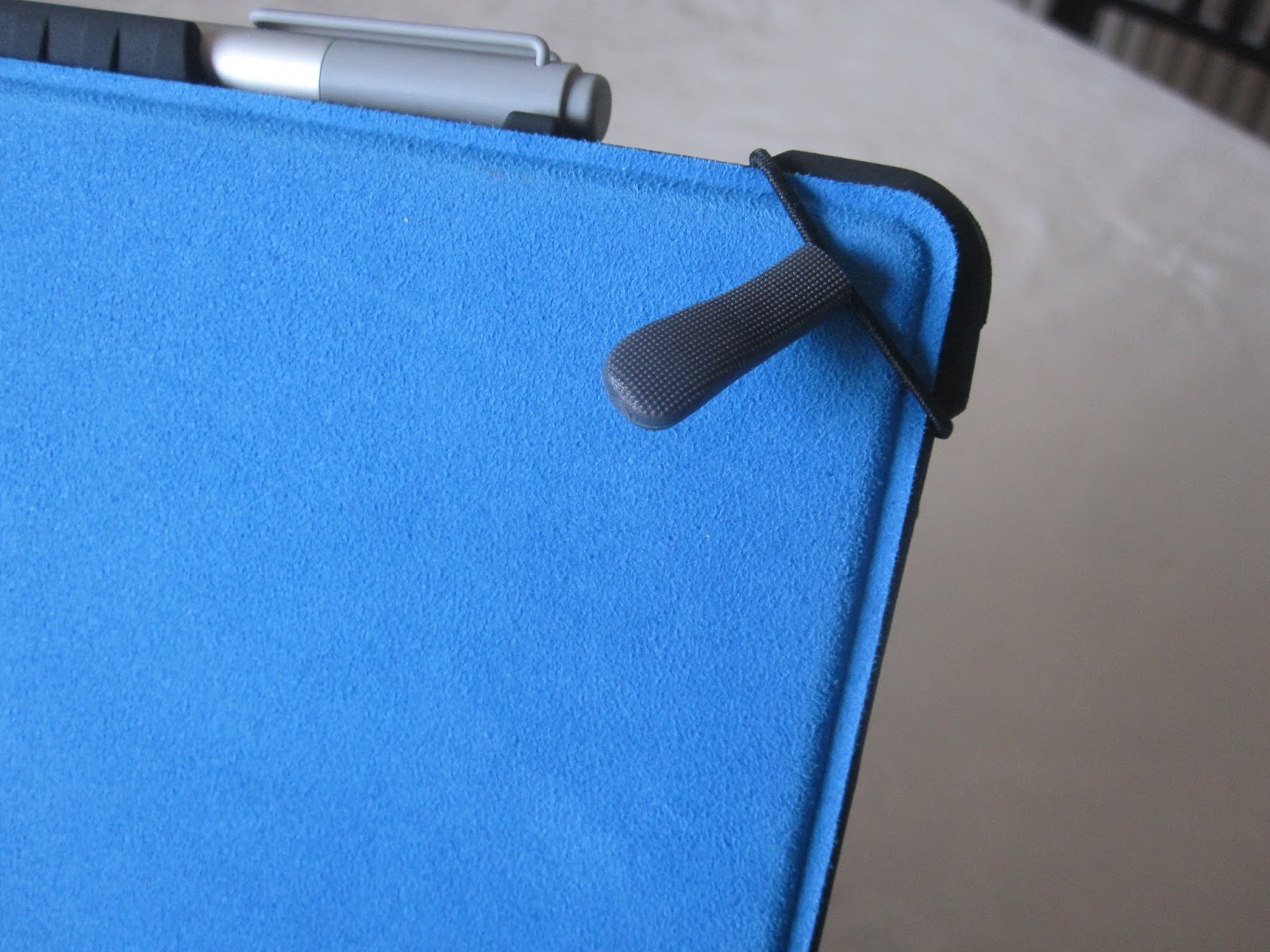
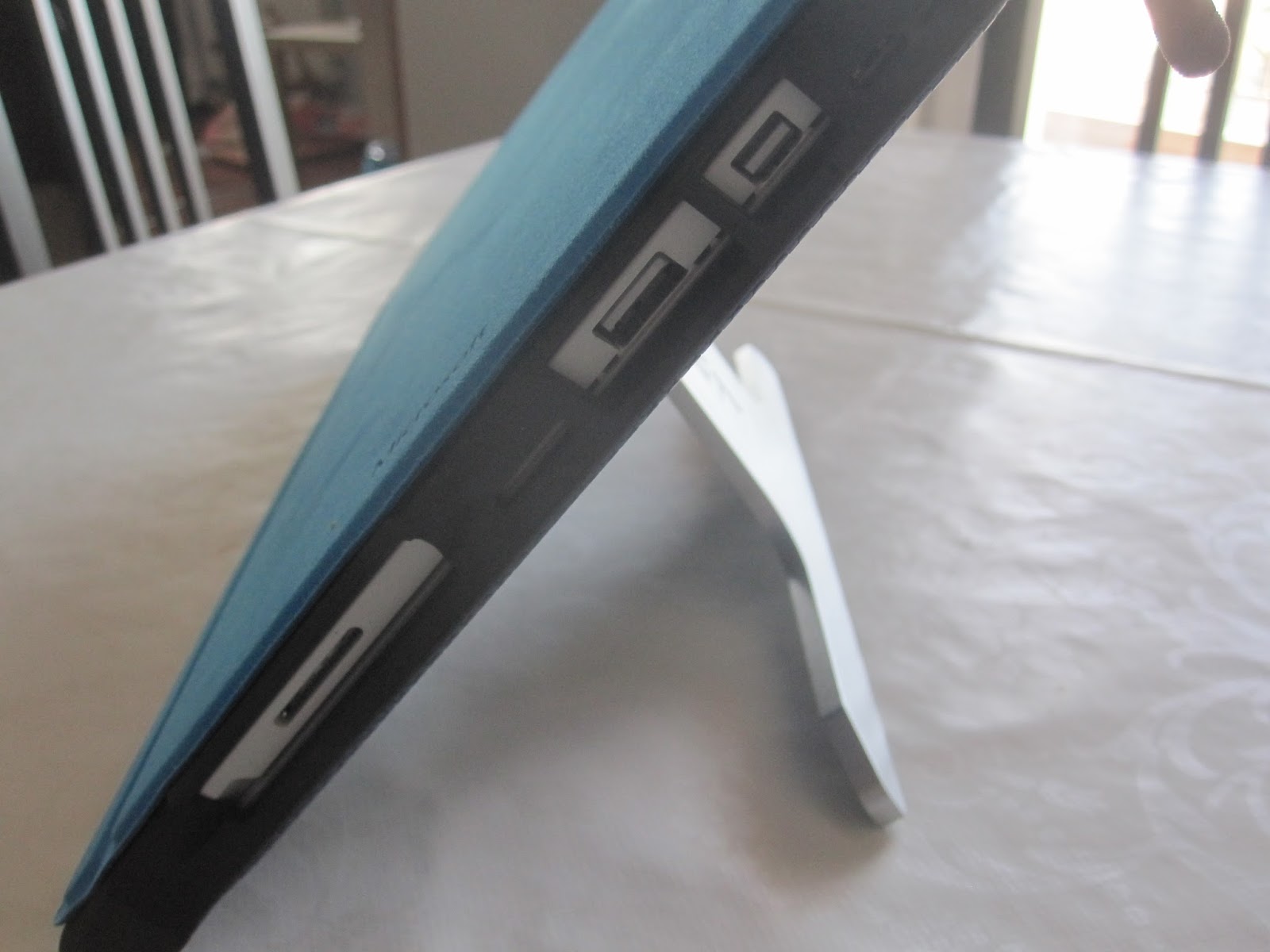
The devices tested for this review:
- 4gb/128gb i5
- 8gb/256gb i5
I am a very amateur reviewer, I'm basically writing my opinion of this device. I am in no way a professional, so please take everything with a grain of salt.
Onward to the review!
Hardware
This is one of the nicest pieces of hardware that I've ever used. I have actually owned multiple SP4 devices and every since one has been very well crafted. All I can say is that Microsoft really went all out to make these devices. That doesn't mean that they're perfect though. Let's take a look at the device.The screen resolution is superb, and you can see everything very well. I have a SP3 in house, but my personal device was a SP2. Honestly, 1080p is more than enough for me. But the SP4 has a screen with a resolution of 2736 x 1824. This is very high resolution. To give you an idea, the SP3 has a 2160x1440. The SP2 had a 1080p, so as we can see, MS has upped again the screen. This leads us to another issue that most people have been having prior to the 2016 lots : light bleed. I had on ALL of my devices a small amount of light bleed, except with one which had A LOT and another one which had nearly none. Light bleed is only noticeable when turning on the Surface Pro 4 from a boot. So, that's OK. I never noticed it in my every day usage.
The only issue I've seen with this screen is that Microsoft has made the glass thinner, so you can see it "wobble" a little when using the pen. When pressing down you can see how the screen touches the LCD panel and "rainbows." I've confirmed this with every SP4 I had and with many followers. I don’t think it's a big issue, but it certainly could have been made thicker, but then the device as a whole would have been made thicker as well. Y
The Surface Pro 4, spec wise, comes with the latest generation Skylake processors. At the time of this publication there are multiple issues with this processor. I've also checked other devices as a replacement for the Surface Pro 4 (such as the HP Spectre x360, with the Skylake processor as well and the Dell Inspiron 2-in-1, also with Skylake processor) - all the devices have issues.
The current issues that can be found with the Surface Pro 4:
- Sleep battery drain.
- Light bleed.
- Battery drain while having the keyboard attached and shutting down.
- Screen flicker at lower power settings.
- Chrome crashes (probably Google's fault, but nevertheless, an issue).
- Short battery life.
- The device takes a few seconds more than most other devices to come out of sleep mode - a known issue, Microsoft is working on it.
Other than that, this device has been a pleasure. One of the 6 devices I've had had a physical defect, which is probably just bad luck. The device wouldn't connect to the projectors or monitors I use my devices with. I even went out of my way to try new adapters and cables, neither of which were the issue - it was the actual device - Returned. With all the other devices I haven't had any hardware issues.
Performance
Speeds are very good on the SP4. But we have to take into account that this is still a portable device. I owned a Surface Pro 2 before, but I never really used it at home. I only used it as a work computer (which meant connected it to the projector at work or another monitor, and that's it). I always used my desktop computer. My 2011 desktop computer is an:
Intel i5 2500K 3.3 ghz 1155
Intel SSD S530 series 240GB drive + 1TB WD Black HDD
8GB internal memory
Nvidia GeForce GTX 560 Ti
In PC Mark my desktop got:
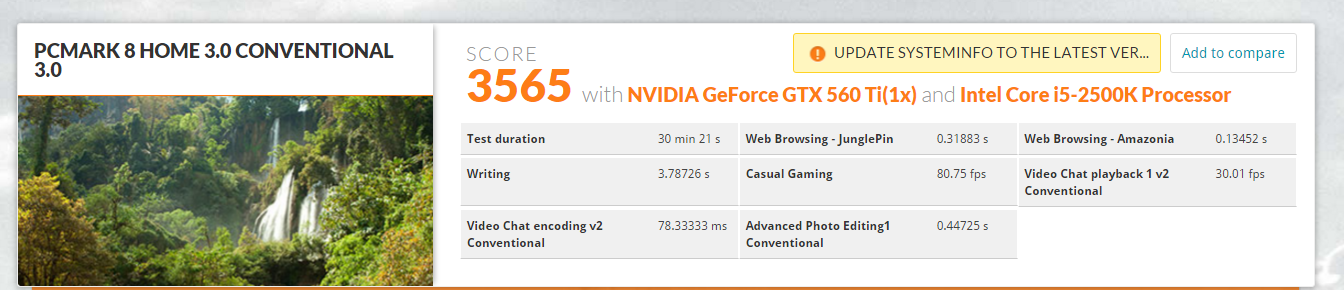
While my SP4 got

As you can see, my desktop that is now nearly 5 years old is faster than my 2015/2016 Surface Pro 4. But that doesn’t mean that the Surface Pro 4 isn't a great device, because it is. It's a very good device that has a lot of power. Basically, in my sub 800 gram device I have 2/3rds the power of my desktop for basic processing power. I just don't think a laptop can replace a desktop just as of yet for those more power hungry users. But for casual users, we've reached that point a few years ago…
Gaming is another story. I can play some games on my SP4 that I install off of steam, which all play well on the lowest settings. I mostly played indie style games, so nothing intensive. I also played hearthstone. If you turn down the settings to their lowest settings you can also get away with NO fan noise! Yes, that's correct - no fan noise. That's incredible.
On most of the devices the fan noise was at a minimum, except when doing a lot of downloading or syncing - then noise was more noticeable. For the majority of time though the fan was completely silent, just the way I like it.
SSD Performance was very good on the 256 model. Read speeds are superb on both devices, but the 128gb model has some rather slow write speeds. This is a common issue with all the Samsung SSDs that HP, Dell and MS are using. But the good news is that read speeds are very speedy and I'm Microsoft saw this to be the most important aspect in picking the right drive - faster reads = faster load times. In general, speeds have been good.
The good thing about the Surface Pro line is that you can expand the storage with a Micro SD card. Up to 2TB, yes, up to 2 TB! Of course, right now you can put up to 200GB. I have been using the same Micro SD card for the last 3 years in my laptops and surface devices - all I can say is that it works well.
SSD performance on Surface Pro 2 i5 128gb:

SSD Performance on Surface Pro 4 i5 128gb:

SSD performance on the Surface Pro 4 i5 256gb:

As you can see the performance speeds for the 256 model outshines the 128gb model. It's basically double the speed, since it has double the storage. It would be funny to open it up and see 2 - 128gb drives.
The Pen
I love the pen. This is by far the best Surface pen they have released to date. I also have a few other digital pens that I used with other tablets I had owned, and this one just feels right. It sits very well in the hand. It magnetically sticks to the surface so you don’t lose it. Here's a tip, point the nibs toward the top, for some reason the magnets are stronger in this arrangement.Regarding the nibs, my partner got me a pack of the extra nibs (10 dollars, or 10 euros standard, or 9 dollars or 9 euros with a student discount), and I REALLY love them. They fit many different situations and it really helps if you have a screen protector on the screen. They're fantastic and I would totally invest in a set of them because they allow you to change how you write. Does it physically change the way you write? No, but it does offer you a different feeling while sliding across the screen.
The eraser on the top is very useful for correcting mistakes. Taking notes on it or digitally drawing is a real pleasure. As for art, I use Art Rage, which is a very user friendly and intuitive program. I highly recommend it. It supports pressure sensitivity, which is really nice for those who want to doodle around.
Battery life
Battery life is a big issue for a lot of people. There are many models to pick from when you look at the Surface Pro line.- m3
- i5
- i7
Being fairly active on the forums I've seen that the i7 has been having worse battery life than the i5 model, since it has the same battery size but the CPU is clocked at higher speeds. The m3 model has a smaller battery, but it also has a slower processor which sips battery. As of right now there is an issue with the Skylake processors that don't allow them to go into the deepest sleep mode. This drains the battery while in sleep mode, which is probably one of the worst things a professional could ask for.
Then there is the issue that either Windows 10 or the Skylake processor isn't being efficient. Basically, what it's doing is letting an application throw it into turbo mode when it isn't necessary, therefore jumping from, for example, 5W drainage to 15W… This can be remedied quite easily by limiting your processor maximum speeds. I've seen some people say by limiting it to 99%, others to 90%. Personally, I have created 2 new power plans

CPU 50% always, even if plugged in. This means that the CPU has a maximum of 50% usage when on battery and when plugged in.
The CPU can go to 100% while plugged in, which will give best performance unless you get to the point where it's being throttled thermally, not usually my case. But when you unplug it, it goes to 50% maximum which is great for when you have to do some work. I can tell you that that at 50%, you're getting just slightly less than M3 speeds (I'm sure if you boost it to 60%, you'd see M3 speeds). But this is WAY more than enough for your day to day stuff like:
- Browsing the web
- Emails
- Editing documents
- Making PowerPoint presentations
- Watching videos on Youtube
Without the registry change, I was getting 5-6 hours of usage. With the change to the registry I'm getting between 7-9 hours. In both examples, I find it more than acceptable. This device weighs under 800 grams and has very good specifications.
If you'd like to know how to limit your CPU then scroll down to the very bottom.
Keyboard
Sold separately, it's not cheap either. But it's very comfortable to use. I wrote this entire thing on my lap while sitting on my sofa using just my Surface Pro 4. The trackpad is lightyears ahead of the SP2's fuzzy trackpad and is larger and better spaced over the SP3's. It comes in many different colors, so pick the one you like the best. I don't recommend getting the Sp4 without the keyboard, though. It SHOULD come in the package, but it doesn't. Get ready to fork over some more cash to get this!
Gaming
I don't game on my Surface device much. I did install a few games during Christmas break while I was travelling. I really enjoy indie style games, like Terraria, Rogue Legacy, etc. These games run just fine. If you play for a little while the fan might come on. I know this isn't a gaming machine, and I'm not much of a mobile gamer to be honest.
Final Thoughts
I was looking to replace my dated Surface Pro 2 because it was very heavy, and I didn't much like the keyboard over the last few years. The Surface Pro 4 seemed like the perfect upgrade. While I like it, it isn't for everyone. If you're just the casual user who looks at a document every now and then, browse the web and check email, you can get practically any device. The Surface Pro 4 is a very sleek, well built, and gorgeous looking device. It definitely competes, lookwise, with the other ultrabooks and Macbook lineup. It's not cheap, it doesn’t do anything perfectly, but it's light, it has a pen, it runs Windows 10 directly from Microsoft, it has plenty of configurations (anywhere from m3 processor with 4gb ram and 128gb ssd to an i7 with 1tb ssd and 16gb ram, with many configurations in the middle).Who is it for? I guess for anyone who needs a powerful device to do mobile computing that's very portable. I plan on taking this bad boy with me everywhere I go! It's powerful enough to run Photoshop, Fireworks, and other programs, and light enough to throw in your bag and hardly notice it.
I'd totally recommend getting the keyboard. It's very worth it. It's a very nice upgrade over the Surface Pro 2 keyboard, and a slight improvement over the SP3 keyboard.
If you'd like to know how to limit the CPU, then here are the instructions:
Start the registry editor (regedit.exe).Move to HKEY_LOCAL_MACHINE\SYSTEM\CurrentControlSet\Control\Power.Double-click CsEnabled and set to 0, then click OK.Then you can go into the power settings and create a new profile. Be aware, turning CsEnabled to 0 will remove SLEEP MODE on your device. Make all the changes you want, and then put CsEnabled back to 1, and you will have sleep once again, and it will keep all the changes you had made to your power plans.